Multi-location services · Expansion Workspace
Compare regions. Open the next branch from the same map.
Side-by-side regional comparison on population growth, income, retail and hospitality density, and drive time vs existing branches — sequence the next opening without cannibalising catchments.
“We compared three regions side-by-side before signing the next lease.”
- Top segment
- Retail · hospitality
- Sample region
- Illawarra · NSW
- Scoring mode
- Branch compare
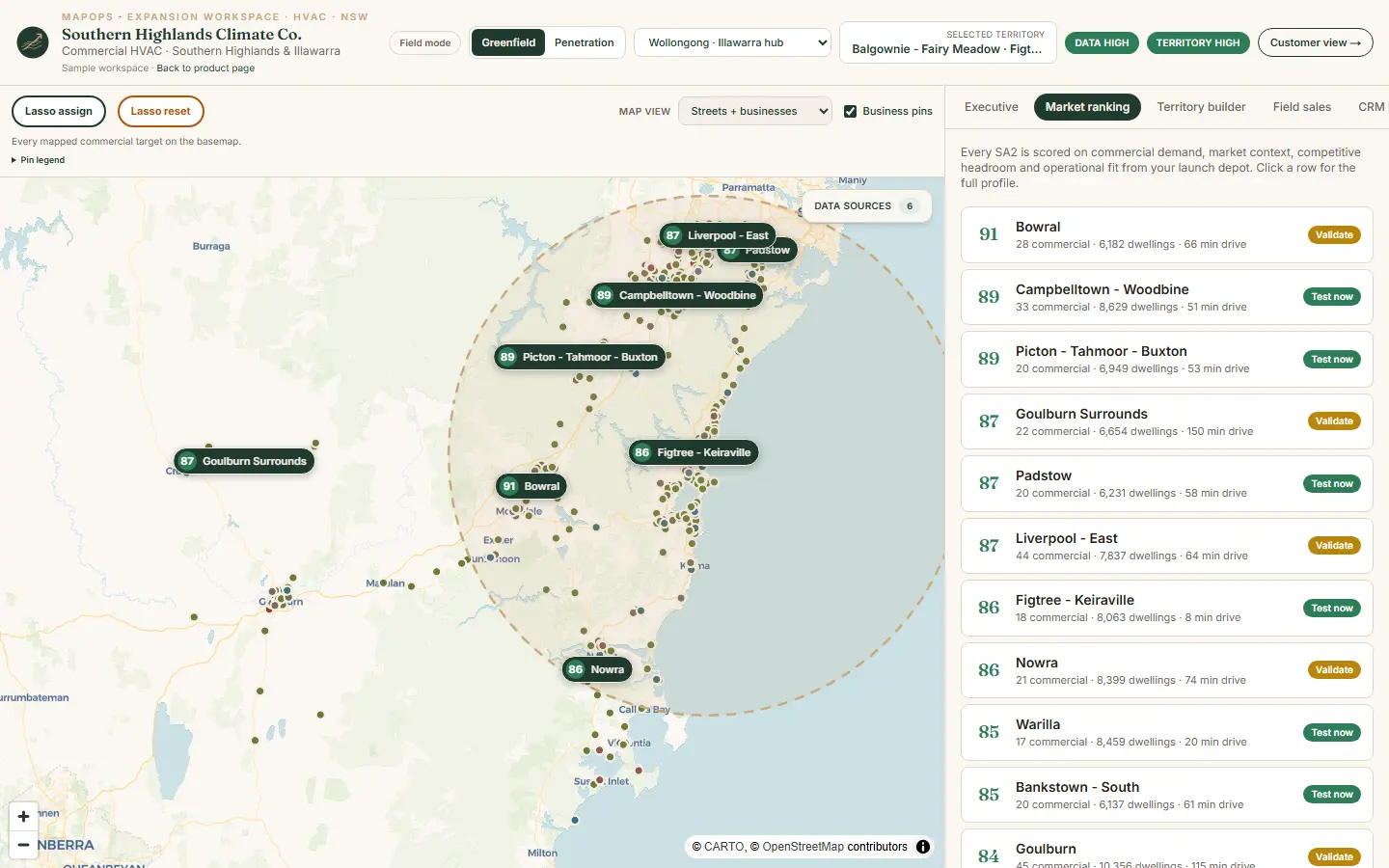
Product screenshot · book a demo for your trade and region
Live walkthrough
See multi-location services on a guided demo
We walk the Regional Services Partners example on Illawarra regional data — ranked markets, territory builder, rep assignment, and prospect proof configured for multi-location services.
Regional market sizing — growth, income, households
Retail and hospitality concentration for branch markets
Branch catchment accounts and prospects
Local market size and growth context
The interactive map, lasso assign, and rep board are best on a screen share — not a phone browser. Book a walkthrough and we'll use your expansion question.
30 minutes · no obligation
Territory questions
What this workspace answers
MapOps Expansion Workspace configured for multi-location services — same product layout, industry-weighted scoring on regional data.
- 01
Which region deserves the next branch?
- 02
Where would a new location overlap existing catchments?
- 03
What is the revenue potential vs current branches?
- 04
Which consumer-facing segments anchor this market?
- 05
How do we run a soft launch before full fit-out?
Three views
Leadership, rep, and prospect — one system
The Regional Services Partners sample workspace shows how the same territory plan flows from ranked markets to field execution.
Leadership view
- Regional market sizing — growth, income, households
- Retail and hospitality concentration for branch markets
- Network overlap and cannibalisation risk
- Competitor branch density by precinct
Rep view
- Branch catchment accounts and prospects
- Territory assignment for new-market reps
- Outreach status across the expansion patch
- Daily queue for launch-period coverage
Prospect view
- Local market size and growth context
- Why this precinct supports a new location
- Service or retail footprint in the area
Sample workspace
Regional Services Partners
Multi-location services · Illawarra baseline demo
Walk the full Expansion Workspace on Illawarra regional data — ranked markets, territory builder, rep assignment, and prospect proof pages configured for multi-location services.
Regional data
Data weighted for this industry
Every MapOps region starts with public data — cleaned and kept current. This industry profile emphasises the signals that matter most for scoring and prospect context.
- 01
Population growth & ERP by SA2
- 02
Median income & SEIFA advantage
- 03
Retail / hospitality concentration
- 04
Drive time vs existing branches
- 05
Competitor branch density
FAQ
Common questions · Multi-location services
How is branch planning different from single-depot trades?
Scoring emphasises regional comparison, network overlap, and consumer-facing commercial density — not just drive time from one base.
Can we compare Illawarra, Macarthur, and Tablelands in one workspace?
The sample demo spans multiple sub-regions on Illawarra NSW data — configured workspaces can cover any geography you operate in.
Does MapOps replace our BI stack?
No. MapOps is the territory decision and field execution layer — ranked markets, rep tools, and trial workflow — not a general analytics platform.
Ready to walk through multi-location services?
Book a configured demo for your region — we'll use the Regional Services Partners example on real NSW data.
If that sounds like you
You need 30 minutes on the product.
If you sell multi-location services by region, book the walkthrough. We use real NSW data and your expansion question.
If you book, you will see
- If you run multi-location services — we open the Regional Services Partners workspace
- If you are choosing a suburb — we rank it on real NSW data
- If you are not sure it fits — we say so in the same 30 minutes
If you are not ready to book, send the brief.
Trade, region, and the suburb decision you are stuck on. Same-day reply.
Email contact@mapops.co30 minutes · no obligation · Australian team