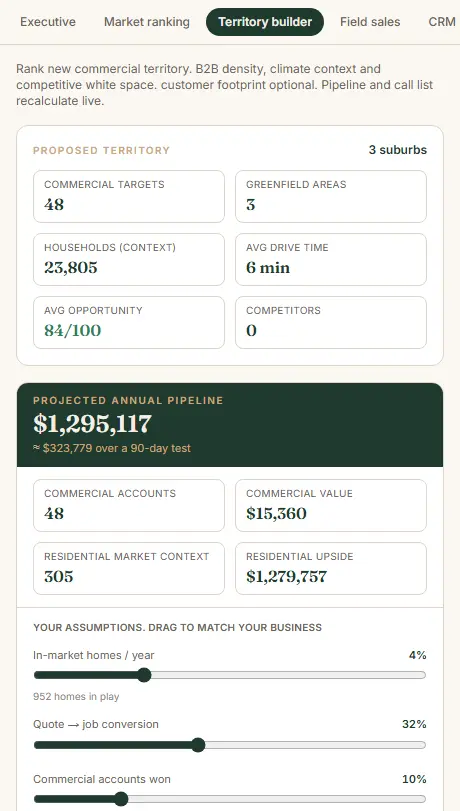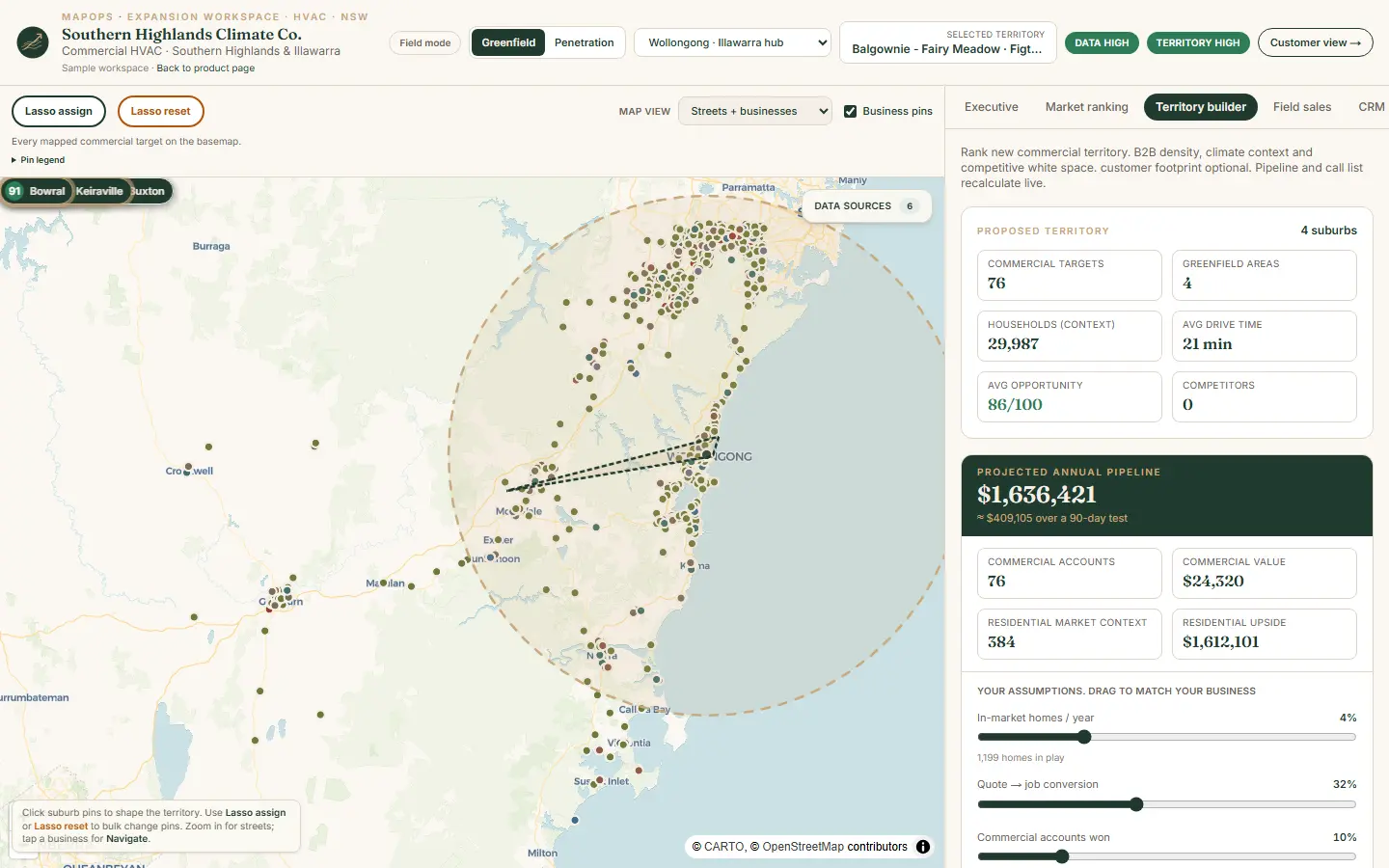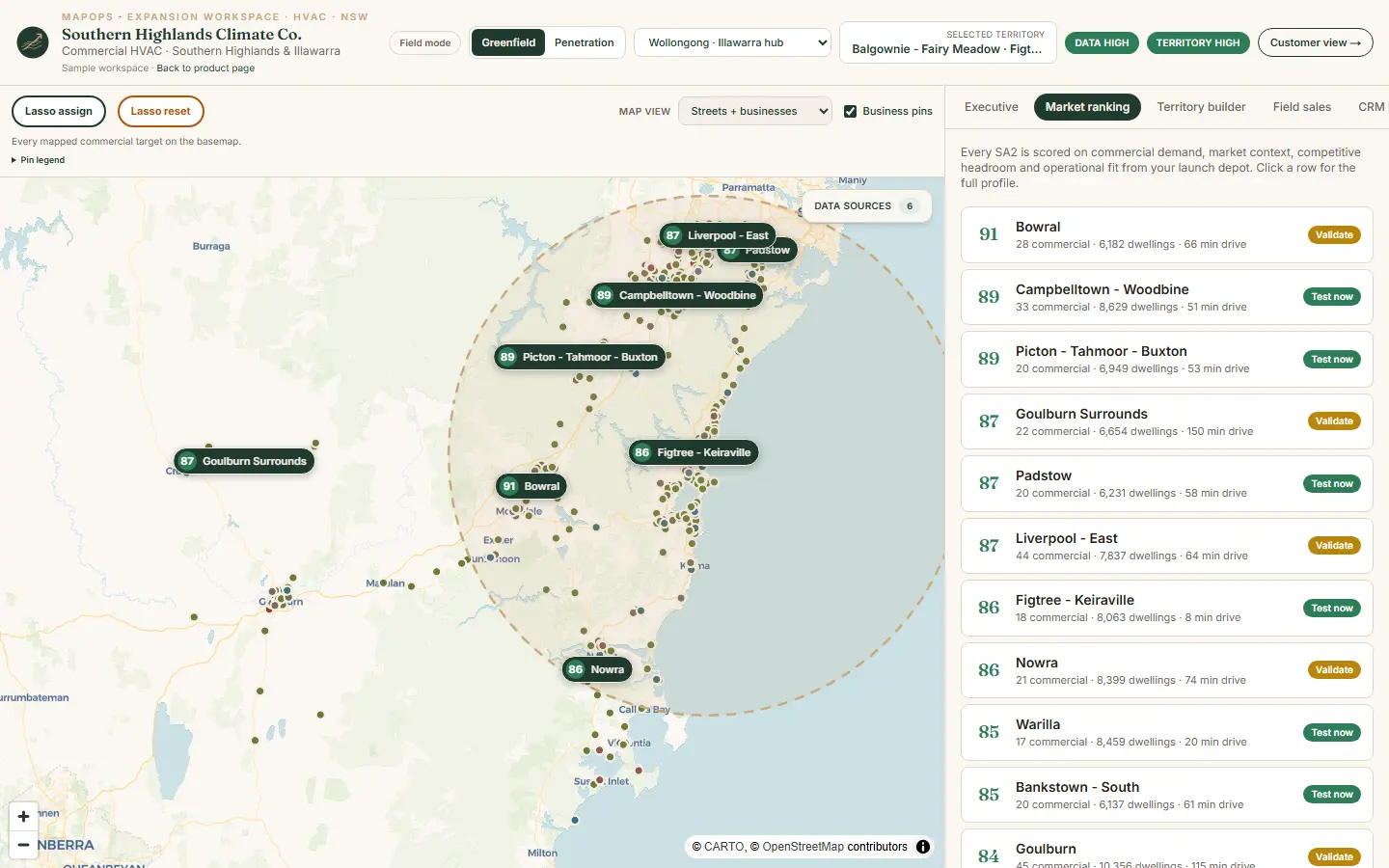
MapOps builds live GTM territory maps that help teams decide where to focus before they expand.

A live, shareable map that defines a real, actionable territory so teams can align, plan, and enter new markets with confidence.

Map your next territory See pricing See the live example Built on Fused.io
MapOps hero map screenshot

Expansion fails when the market is vague

Most teams do not lose in the new market because they worked hard. They lose because everyone had a different idea of what the market actually was. When a territory is just a name on a slide, you get misalignment fast, wasteful coverage, and a slow crawl to traction. MapOps fixes the first step by turning a fuzzy market into a real, shared territory your team can plan around.

Markets are named, not defined

“We are going into Sydney” is not a plan. A territory needs boundaries, density, and internal logic that your whole team agrees on.

Teams optimize different realities

Sales, marketing, ops, and leadership each picture a different market. A shared map forces alignment before the spend starts.

Bad focus compounds

If you start in the wrong pockets, the team blames messaging, reps, or pricing. Often it was the territory definition that was broken.

One live GTM territory map, built for decision-making

MapOps builds a live, shareable territory map that helps your team decide where to focus before you expand. It is not a generic map. It is a GTM tool that combines market structure, target accounts, and execution context in one view.

Define the territory

Clear boundaries and an actionable market shape, not a vague region name.

Layer the market signals

TAM, ICP targets, clusters, and the context your GTM plan actually needs.

Make the plan usable

A map your team can reference daily, screenshot, share, and use to align fast.

Update it as you learn

Territories evolve. Refresh the map when signals, ICP, or focus changes.

How teams use a MapOps territory map

This map becomes the shared reference point for planning, alignment, and execution before and during market entry.

GTM planning

Set the boundary, pick the first pockets, and align the launch plan around the real market shape.

Target account focus

See where ICP accounts cluster so your team starts where density and fit are highest.

Sales capacity and coverage

Pressure test rep count, coverage, and ramp expectations against the actual opportunity map.

Leadership alignment

Get everyone looking at the same territory definition before goals, hiring, and budget decisions.

Competitive and whitespace

Identify greenfield pockets, displacement zones, and gaps in your current coverage.

Sales enablement

Reps can screenshot the map to explain why a prospect is a strong fit and why the territory is prioritized.

Live Map

Example: evaluating a new GTM market. This live map shows an example GTM analysis for a SaaS company assessing entry into a new geographic market.

This live map is an example of what you’ll receive. Your map will be very similar in structure and functionality, but tailored to your specific product, market, and industry. Open full screen for maximum detail.

Open full screen PNG + Vector View

What counts as a territory

A territory is a real, actionable market like a metro area, city cluster, county, or defined region. It is not an entire state or country. One territory at a time.

Defined boundaries

We draw the line so your team knows exactly what is in and out, and why.

Actionable density

A territory should be small enough to execute and big enough to matter. The map makes that visible.

Decision-ready scope

If a rep cannot realistically cover it, it is not a territory. We keep it grounded.

What you receive

You get a live map your team can use immediately, plus the support to make sure it actually gets used.

A live, shareable map

A link your whole team can open, explore, and reference. Screenshot-ready for internal and customer conversations.

Territory layers tailored to you

Market structure, target accounts, clusters, and the GTM context that matters for your product and motion.

A guided walkthrough

A short readout to align on what the map is saying, where to start, and what to ignore.

Pricing per territory

Pricing is based on one defined territory and the complexity of the signals and layers needed. Most teams start with one market, then add territories as they expand.

New territory

Territory Map

Best for teams entering a new market and needing a shared GTM view before committing.

From $3,000 / territory
Most popular

Your territory, defined. A live GTM map built for one actionable market, typically delivered in about a week.

  • Discovery on product, ICP, and GTM motion
  • Territory boundary definition and rationale
  • Market and target account layers tailored to your world
  • Clusters and hotspots to guide first focus
  • Short walkthrough and usage guidance
Map my next territory
Updates

Territory Refresh

Best when you learn, iterate, or want the map updated before a planning moment.

$500 to $1,500 / refresh
Common add-on

Keep it current. Update data, adjust layers, and refine the territory as your GTM evolves.

  • Data refresh for key layers
  • Add or adjust target segments and scoring
  • Boundary tweaks as you learn the market
  • Light iteration on views and storytelling
Request an update
Expansion

Additional Territory

Best after the first market is defined and you want the next one mapped with the same structure.

Scoped / territory
For growth teams

Repeatable. The map structure stays similar, the territory changes. Add markets as you expand.

  • Same MapOps approach and deliverable
  • Consistent views across territories
  • Volume-friendly scoping for multi-market plans
Scope my territories

Common pricing questions

How do you define a territory?

We align on an actionable boundary like a metro area, city cluster, or region. It needs to be realistic to cover and meaningful enough to matter.

Why is pricing per territory?

Because the value is in making one market real and usable. Each territory has its own boundary work, signal selection, and tuning.

How long does a Territory Map take?

Typically about a week once scope is confirmed. Complex territories or custom layers can take longer.

Can we start with one, then add more?

Yes. Most teams start with one territory, learn fast, then add the next market using the same structure and workflow.

Map your next territory

Tell me the market you want to enter and what you sell. I will reply with a quick scope and a territory-based price.