Equipment hire · Expansion Workspace
Place depots with confidence. Run fleet from the same map.
Map project pipeline, industrial and builder site density, and drive-time coverage from each depot — see where fleet utilisation should improve before you move plant.
“Depot reach and project pipeline on the same view — we knew where the fleet was under-utilised.”
- Top segment
- Industrial · builder sites
- Sample region
- Illawarra · NSW
- Scoring mode
- Depot reach
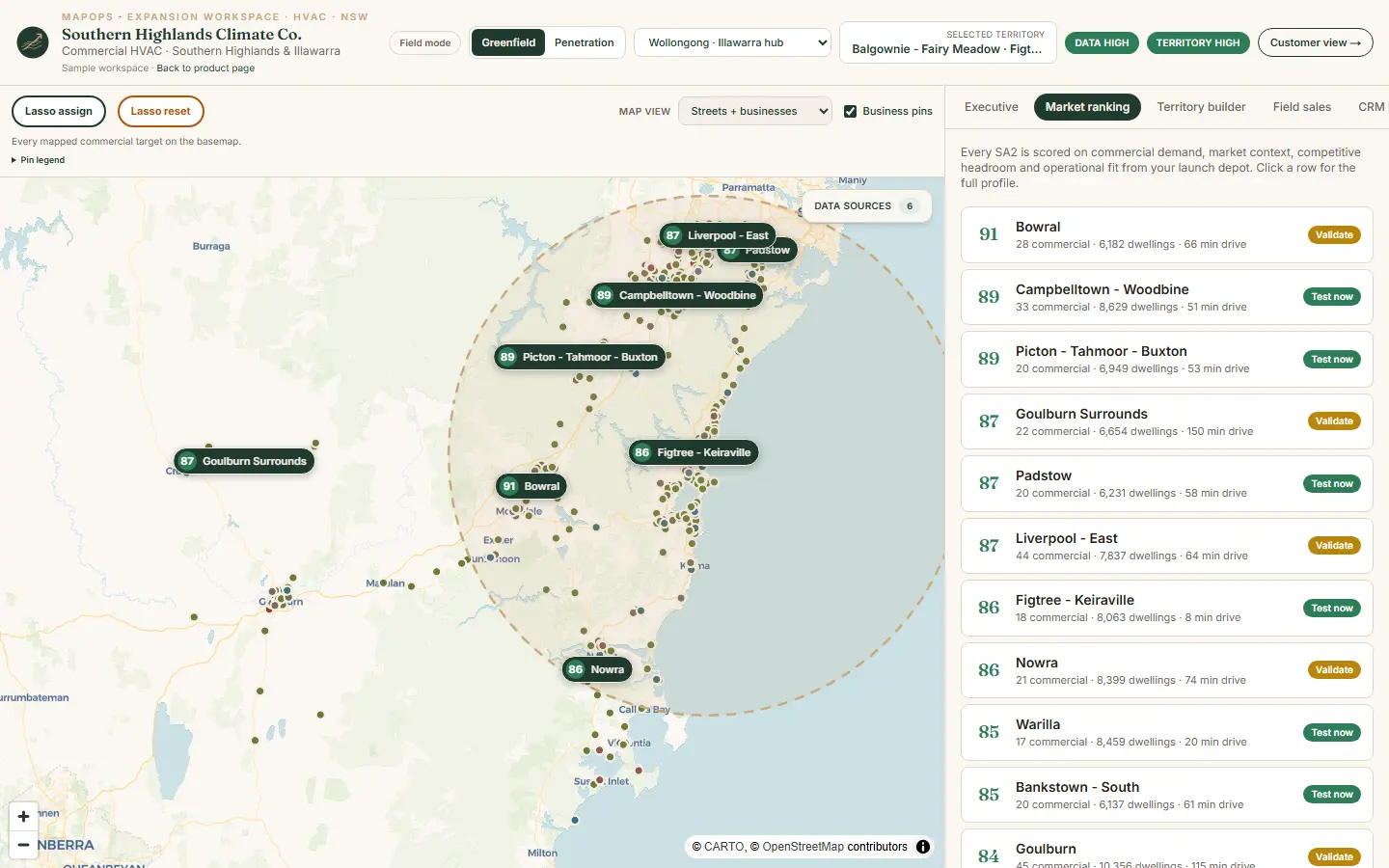
Product screenshot · book a demo for your trade and region
Live walkthrough
See equipment hire on a guided demo
We walk the South Coast Hire Group example on Illawarra regional data — ranked markets, territory builder, rep assignment, and prospect proof configured for equipment hire.
Project pipeline from building approvals
Site density by industrial and builder segments
Site and project accounts on a territory map
Local project and site activity context
The interactive map, lasso assign, and rep board are best on a screen share — not a phone browser. Book a walkthrough and we'll use your expansion question.
30 minutes · no obligation
Territory questions
What this workspace answers
MapOps Expansion Workspace configured for equipment hire — same product layout, industry-weighted scoring on regional data.
- 01
Where should the next depot sit?
- 02
Which catchments are outside economical haul radius?
- 03
What utilisation could this patch support?
- 04
Where are builder and industrial hire accounts clustered?
- 05
Which sites deserve proactive account coverage?
Three views
Leadership, rep, and prospect — one system
The South Coast Hire Group sample workspace shows how the same territory plan flows from ranked markets to field execution.
Leadership view
- Project pipeline from building approvals
- Site density by industrial and builder segments
- Depot whitespace vs competitor hire locations
- Drive-time coverage and haul economics
Rep view
- Site and project accounts on a territory map
- Priority segments for construction and industrial hire
- Assigned accounts with contact and status
- Territory pockets for proactive outreach
Prospect view
- Local project and site activity context
- Depot reach and same-day delivery feasibility
- Why hire utilisation should improve in this area
Sample workspace
South Coast Hire Group
Equipment hire · Illawarra baseline demo
Walk the full Expansion Workspace on Illawarra regional data — ranked markets, territory builder, rep assignment, and prospect proof pages configured for equipment hire.
Regional data
Data weighted for this industry
Every MapOps region starts with public data — cleaned and kept current. This industry profile emphasises the signals that matter most for scoring and prospect context.
- 01
Building approvals & project pipeline
- 02
Industrial & builder site mapping
- 03
Non-private dwelling / site density
- 04
Competitor hire depot locations
- 05
Drive-time coverage from your depot
FAQ
Common questions · Equipment hire
How does MapOps help with depot placement?
Operational fit and market demand combine project pipeline, site density, and drive time — so you see gaps before committing capital to a new yard.
Which account types rank highest?
Industrial and builder segments carry the highest commercial priority — aligned to plant hire utilisation patterns.
Can we model multiple depots?
Yes. Switch depot context to compare catchments and coverage overlap across the region.
Ready to walk through equipment hire?
Book a configured demo for your region — we'll use the South Coast Hire Group example on real NSW data.
If that sounds like you
You need 30 minutes on the product.
If you sell equipment hire by region, book the walkthrough. We use real NSW data and your expansion question.
If you book, you will see
- If you run equipment hire — we open the South Coast Hire Group workspace
- If you are choosing a suburb — we rank it on real NSW data
- If you are not sure it fits — we say so in the same 30 minutes
If you are not ready to book, send the brief.
Trade, region, and the suburb decision you are stuck on. Same-day reply.
Email contact@mapops.co30 minutes · no obligation · Australian team